Administrative Privilege and Bounded Delegation
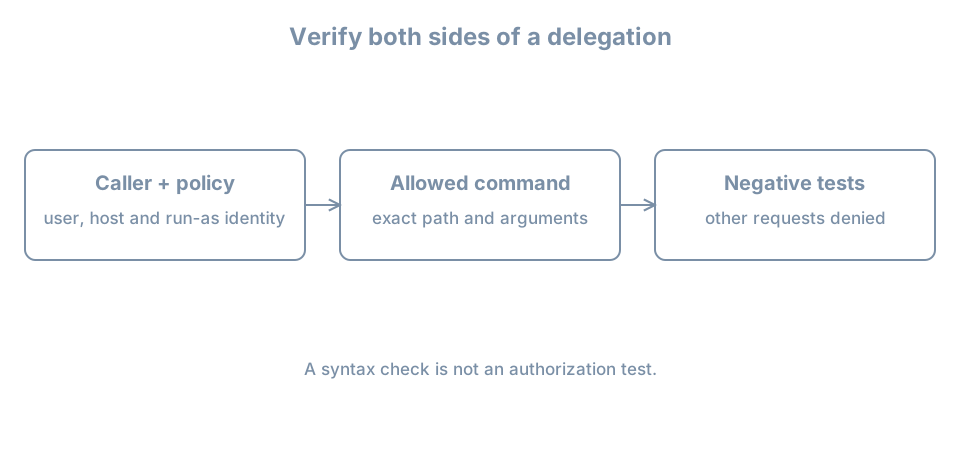
An operator needs to run one diagnostic as root. Giving that operator an unrestricted root shell also grants the ability to change the policy that constrained the diagnostic. A useful delegation specifies the caller, target identity, exact executable and arguments, then tests both an allowed and a denied operation.
This lab uses bl04-accounts-lab, the existing learner administrator console and a new bloperator account. Keep bl02 shut down while the clone runs. Make a known-good clone/baseline before changing policy. If you cannot establish a separate recovery route and a second working administrator session, do not edit sudo policy.
Identify the privilege provider and policy
sudo runs a command under a target identity subject to its policy and authentication rules. su switches identity using a different flow. Neither a locked root password nor a noninteractive root shell prevents a properly authorized administrator from obtaining root through another mechanism; actual policy matters.
Ubuntu 26.04 uses sudo-rs as the default provider, while the traditional implementation remains available. Existing installations can differ. Ubuntu’s system utility reference explains provider differences. Inspect the current clone:
command -v sudo
readlink -f "$(command -v sudo)"
sudo --version
sudo -l
sudo id -u
The final command should print 0. sudo -l describes policy for the current user; an administrator group is only one possible source of permission. Check the installed provider’s sudo --help and man sudoers-rs or corresponding manual before using provider-specific features. Do not switch providers as part of this lab.
The policy may use /etc/sudoers, included files, and in sudo-rs an optional /etc/sudoers-rs that takes precedence when present. Inspect the actual configuration and whether it includes /etc/sudoers.d:
sudo ls -l /etc/sudoers /etc/sudoers-rs /etc/sudoers.d
sudo grep -nE '^[[:space:]]*(@includedir|#includedir)' /etc/sudoers
An absent optional file can produce an error. If /etc/sudoers-rs exists, inspect its include directives too. Do not assume a drop-in is active merely because its file exists. A later matching rule or group membership can broaden a grant, so review the effective policy. The sudo-rs policy manual documents includes and matching.
Create a dedicated test operator
Before creating bloperator, check the account, same-named group and home path independently:
getent passwd bloperator
getent group bloperator
test ! -e /home/bloperator
Require both lookups to return no record with status 2 and the path test to succeed. Stop for an existing name, path or lookup error. Create a local account with a unique disposable password:
sudo useradd -m -U -s /bin/bash bloperator && sudo passwd bloperatorIf a command fails, inspect partial state before retrying. Verify id bloperator shows no administrator group, and inspect existing grants for this user from the administrator session:
id bloperator
sudo -l -U bloperator
A denial or absence of grants is expected before the lab rule. If the user already has broad effective privileges, stop and identify their source. Keep the learner session available separately throughout.
Delegate one diagnostic
The example permits only /usr/bin/id without arguments as root. It demonstrates a policy boundary; running id is not a privileged operational task in itself. Confirm the executable is the expected, root-owned system program and that untrusted users cannot modify it or its parent directories:
command -v id
ls -l /usr/bin/id
ls -ld /usr /usr/bin
Confirm that the active policy includes /etc/sudoers.d. If it does not, stop; do not modify a different policy file by guesswork. Ensure the lab drop-in is absent:
sudo test ! -e /etc/sudoers.d/bl04-observeOnly after that test succeeds, open it using the provider’s checked editor:
sudo visudo -f /etc/sudoers.d/bl04-observeEnter this single line and save:
bloperator ALL=(root) /usr/bin/id ""The empty quoted argument specification means no command-line arguments; omitting it would allow arbitrary arguments to this executable under sudo-rs policy. ALL in the host position matches the host, while (root) is the target identity. The sudoers-rs manual describes the rule and no-argument syntax. This rule retains the default authentication requirement; NOPASSWD is not needed.
Inspect the installed file and validate the complete active policy:
sudo ls -l /etc/sudoers.d/bl04-observe
sudo visudo -c
sudo -l -U bloperator
The file should be owned by root and not writable by the test user or other untrusted users; use the installed provider’s documented ownership and mode requirements. A syntax check is necessary but does not prove the intended permissions or resolve every semantic conflict. If validation fails or the rule is not active, stop and repair from the still-open administrator session or the documented recovery route. Do not close that session and do not use an unchecked editor to bypass a policy error.
Test allow, deny and rollback
From the ordinary learner shell, start su - bloperator and authenticate as the test user. In that shell:
sudo /usr/bin/id
sudo /usr/bin/id -u
sudo /usr/bin/touch /tmp/bl04-should-not-exist
Authenticate to sudo with the operator’s password if prompted. The first command should report root’s identity. The second must be denied because it has an argument; the third must be denied because it is a different executable. Stop if either denied test succeeds: another policy rule or group grants more authority than intended. Do not execute additional privileged commands to explore the grant.
A sudo timestamp can allow a later permitted invocation without another prompt; absence of a prompt alone is not proof of NOPASSWD. Exit the operator session. From the retained administrator console, remove only this verified lab drop-in and validate:
sudo rm /etc/sudoers.d/bl04-observe && sudo visudo -c
sudo -l -U bloperator
Reopen a fresh bloperator session and verify sudo /usr/bin/id is denied. If it is still allowed, inspect effective rules and group membership; do not declare the rollback complete. End the test sessions. Retire the test account using the earlier lifecycle procedure or keep it only on the powered-off disposable clone with its UID and home recorded.
For a real delegation, assess what the executable can do with its inputs, environment, configuration and child processes. Editors, shells and commands that execute arbitrary programs can make an apparently narrow rule equivalent to broad root access. Use a controlled, root-owned diagnostic interface and test the negative cases; syntax validation alone cannot establish safety.
Recall card
- Confirm the actual sudo provider and effective policy before editing.
- A policy specifies caller, host, target identity, executable and arguments.
visudovalidation, an allowed test and denied tests provide different evidence.- Keep a separate administrator and recovery route until rollback is verified.